
How Contactless & Cashless Dining Is Redefining Corporate Cafeterias in 2026
Introduction
Every corporate cafeteria is advancing, much like hotels and restaurants, where service is smart, seamless, and powered by technology. Businesses have clearly understood the significance of contactless and cashless dining in corporate cafeteria software, not just as a convenience, but as a strategic upgrade.
In 2026, this transformation is no longer experimental; it’s expected. Employees don’t want to wait in queues, handle cash, or rely on manual processes. They expect QR-based ordering, digital wallets, automated billing, and real-time tracking, all integrated into one streamlined ecosystem. That’s where corporate cafeteria management software plays a pivotal role, turning traditional food counters into intelligent, data-driven dining spaces.
What began as a safety-driven shift has now evolved into an efficiency revolution. Faster transactions, better hygiene, accurate reporting, and improved employee experience are redefining how corporate cafeterias operate. And in 2026, contactless and cashless dining isn’t a trend; it’s the new operational standard that’s here to stay.
What Is Contactless & Cashless Dining in a Corporate Cafeteria?
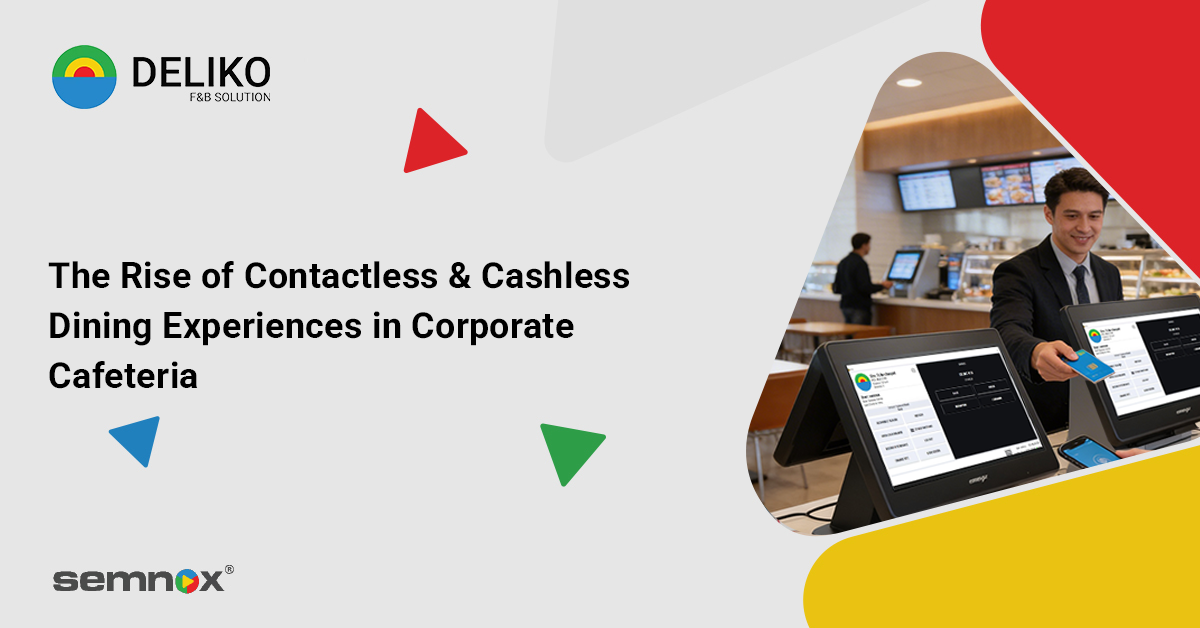
Contactless & cashless dining simply means running your cafeteria without physical cash exchanges, paper tokens, or manual billing. Instead, employees use QR codes, ID cards, mobile apps, or digital wallets to order, pay, and collect their meals, quickly and seamlessly, all powered by corporate cafeteria management software that centralizes and automates the entire process.
For corporate cafeteria owners, this isn’t just about technology. It’s about smoother operations, shorter queues, fewer billing errors, better hygiene standards, and complete transaction visibility. Everything, from meal selection to payment tracking, is managed digitally through corporate cafeteria management software, making the cafeteria faster, smarter, and easier to control.
Why Contactless Dining Is Growing Fast in 2026
Because it solves three major needs at once: hygiene, speed, and convenience.
What started as a safety measure during the pandemic has now become the preferred way to dine. Customers have experienced the ease of scanning a QR code, ordering instantly, and paying without handling cash or waiting in long queues, and they don’t want to go back. In fact, nearly 87% of restaurant transactions are now contactless, compared to just 45% in 2020, and over 90% of customers actively prefer digital payment options — a shift that is accelerating adoption of corporate cafeteria management software across workplaces.
Beyond customer preference, businesses benefit too. Contactless systems reduce manual errors, speed up service time, improve data tracking, and streamline operations through intelligent corporate cafeteria management software. With digital adoption accelerating globally and workplace efficiency becoming non-negotiable, 2026 isn’t just seeing growth — it’s seeing a permanent shift in how dining operates.
Key Features to Look for in Corporate Cafeteria Software (2026 Checklist)
In 2026, corporate cafeterias are no longer just serving meals — they’re managing data, employee experience, compliance, and operational efficiency in one ecosystem. If you’re evaluating a corporate cafeteria management software, here’s a practical checklist to guide your decision:
1. Contactless & Cashless Payment Integration
Your system should support QR-based ordering, mobile payments, prepaid wallets, RFID cards, and seamless POS billing. Fast, secure transactions reduce queues and improve employee satisfaction — especially during peak lunch hours.
2. Smart POS with Centralized Control
A robust POS system should unify billing, order management, refunds, and vendor coordination on one dashboard. Centralized control ensures smoother cafeteria operations across multiple counters or locations.
3. Real-Time Reports & Analytics
Live sales tracking, consumption patterns, peak-hour data, and profitability insights are essential. In 2026, data-driven decisions help reduce waste, optimize pricing, and forecast demand accurately.
4. Inventory & Stock Management
Look for automated inventory tracking that updates in real time as sales happen. Smart alerts for low stock, expiry management, and wastage monitoring can significantly cut overhead costs.
5. Employee Wallets & Subsidy Management
Corporate cafeterias often include meal allowances or subsidies. Your software should support wallet-based systems, payroll integration, automated subsidy calculations, and reward/discount programs.
6. Vendor & Multi-Outlet Management
If multiple vendors operate within your cafeteria, the system should track vendor-wise sales, commissions, settlements, and performance reports without manual reconciliation.
7. Health, Safety & Compliance Tracking
From food safety documentation to audit logs and hygiene compliance, the software should help maintain regulatory standards effortlessly, reducing operational risk.
8. Customizable Reports for Management
Finance teams and facility managers need tailored reports. The ability to generate exportable reports (daily, weekly, monthly) simplifies audits and strategic planning.
9. Scalability for Growing Enterprises
Whether you’re managing one office or multiple campuses across cities, the system must scale without performance issues. Cloud-based solutions with multi-location support are ideal.
10. Seamless Employee Experience
Ultimately, the cafeteria is an employee touchpoint. A modern interface, quick checkout, loyalty integration, and minimal waiting time directly contribute to workplace satisfaction and productivity.
Also read: Contactless Dining in QSRs: Implementing QR Code Menus and Digital Payments
How Cashless Payments Improve Cafeteria Operations
Cashless payments aren’t just a convenience feature, they directly improve speed, accuracy, and operational control inside corporate cafeterias. Here’s how:
- Faster Transactions, Shorter Queues
Tap, scan, or pay via mobile in seconds. Reduced billing time means smoother peak-hour management and improved employee satisfaction. - Zero Cash Handling Errors
Eliminates manual cash counting, change mismatches, and billing discrepancies — ensuring higher accuracy and accountability. - Real-Time Sales Tracking
Every transaction is digitally recorded, giving instant visibility into sales, consumption trends, and revenue performance. - Better Subsidy & Wallet Management
Employee meal credits, prepaid wallets, and corporate subsidies can be automatically applied without manual adjustments. - Improved Security & Hygiene
No physical cash exchange reduces contamination risks and minimizes theft or internal leakage. - Simplified Vendor Settlements
Automated transaction logs make commission tracking and vendor payouts transparent and hassle-free.
Benefits for Employees
For employees, a modern cafeteria powered by corporate cafeteria management software transforms lunch breaks into a seamless experience. No cash, no long queues, no confusion — just quick ordering, secure payments, and faster service. Digital wallets, QR-based ordering, and preloaded meal credits reduce wait times and eliminate the hassle of carrying physical cash or cards.
Employees also enjoy greater transparency and control. They can view transaction history, track meal balances, access rewards or discounts, and even receive personalized offers — all in a few taps. The result? A smoother, smarter dining experience that feels aligned with the digital-first workplace of 2026.
Pros for Employees:
- Faster checkout and shorter queues
- No need to carry cash or cards
- Easy access to meal balances and transaction history
- Reward and discount integration
- Safer, contactless dining experience
- More convenient and stress-free lunch breaks
Benefits for HR, Admin & Facility Teams
For HR, admin, and facility teams, the real advantage lies in operational ease and visibility. Managing subsidies, vendor billing, meal policies, and compliance manually can be overwhelming. With an integrated corporate cafeteria management software, these processes become automated, centralized, and measurable.
Live reports, inventory tracking, and real-time analytics reduce guesswork and improve decision-making. Instead of chasing data, teams can monitor cafeteria performance, control costs, ensure hygiene compliance, and manage vendors — all from one platform. It shifts cafeteria management from a routine task to a strategic function.
Pros for HR, Admin & Facility Teams:
- Centralized dashboard for complete operational control
- Automated subsidy and employee wallet management
- Real-time sales and inventory reports
- Reduced billing errors and cash handling risks
- Easier vendor management and reconciliation
- Better compliance tracking and audit readiness
- Improved cost optimization and revenue visibility
Corporate Cafeteria Trends 2026
- Contactless & Cashless Is Now the Default, Not the Upgrade
In 2026, contactless and cashless dining has moved from being a “modern add-on” to becoming the standard expectation in corporate cafeterias. Organizations are increasingly investing in corporate cafeteria management software that supports QR-based ordering, mobile wallets, badge payments, and payroll deductions. This shift is driven by hygiene awareness, operational efficiency, and the need to deliver seamless workplace experiences. Simply put, digital dining is no longer optional — it’s foundational.
- Employee Expectations Are Driving Adoption
Workforces today, especially Gen Z and Millennials, expect fast, tech-enabled dining solutions. Around 85% of younger employees prefer cashless options, valuing speed and convenience. When checkout times reduce by up to 22% through badge scans and mobile payments, it directly improves lunch-hour flow. Faster service means less waiting, reduced crowding, and a smoother employee experience — all of which contribute to overall workplace satisfaction.
- QR Menus & Pre-Ordering Are Eliminating Queues
QR-based menus and pre-order systems are transforming how cafeterias manage peak hours. Instead of standing in long lines, employees can browse menus digitally, place orders in advance, and pick up food at scheduled times. Nearly 80% of businesses implementing such systems report operational improvements and revenue growth. Beyond convenience, this also helps kitchens prepare accurately based on real-time demand, minimizing food waste.
- AI & Real-Time Analytics Are Optimizing Operations
Modern cafeteria platforms now integrate AI-driven tracking to monitor vendor performance, peak-hour demand, and consumption trends. This data allows organizations to forecast inventory requirements, optimize menus, and prevent overproduction. Instead of relying on manual estimation, decisions are now backed by insights. The result is improved cost control, reduced waste, and better vendor accountability.
- Hygiene & Compliance Remain Critical Priorities
Even in 2026, post-pandemic hygiene standards continue to influence cafeteria design and operations. Digital systems support automated hygiene checklists, audit trails, and vendor compliance tracking. Contactless setups also reduce physical touchpoints, lowering health risks while maintaining structured safety documentation. This ensures organizations stay compliant without increasing administrative workload.
- Financial Transparency & Automated Subsidy Management
Cashless ecosystems simplify accounting and reduce the risks associated with currency handling. Digital subsidies and meal allowances can now be automated within the software, eliminating manual errors. Real-time reporting provides HR and admin teams with complete visibility into spending patterns, helping them control budgets and track cafeteria performance more accurately.
- Data-Driven Personalization & Smarter Menu Planning
Corporate cafeterias in 2026 are becoming more personalized. With access to consumption analytics, organizations can understand employee preferences and tailor menus accordingly. This not only improves satisfaction but also ensures better stock planning and reduced wastage. Smart software enables cafeterias to move from reactive management to predictive planning.
Common Challenges in Corporate Cafeterias — And How Deliko Solves Them
Running a corporate cafeteria isn’t just about serving meals. It’s about managing speed, compliance, data, vendors, and employee satisfaction — all at once. Here’s how Deliko corporate cafeteria software addresses the most common operational pain points.
1. Long Queues & Slow Billing
The Challenge:
Peak-hour rush leads to long lines, frustrated employees, and reduced productivity. Manual billing or outdated POS systems slow everything down.
How Deliko Solves It:
Deliko enables contactless ordering, cashless prepaid card management, and fast POS billing. With streamlined checkout and digital payments, transaction time reduces significantly, ensuring smoother lunch hours and better employee experiences.
2. Manual Errors in Billing & Inventory
The Challenge:
Human errors in billing, stock tracking, and reporting can lead to revenue leakage and stock mismanagement.
How Deliko Solves It:
With centralized purchase, inventory, and store management, Deliko automates stock updates and integrates real-time reporting. This improves billing accuracy, reduces wastage, and provides clear financial visibility across outlets.
3. Lack of Real-Time Insights
The Challenge:
Many cafeterias operate without accurate data on sales trends, peak hours, or vendor performance, making decisions reactive instead of strategic.
How Deliko Solves It:
Deliko provides individual outlet reporting and centralized head office insights. With intelligent dashboards and analytics, management can track performance, optimize menus, and make data-driven decisions instantly.
4. Difficulty Managing Multi-Outlet Operations
The Challenge:
Corporate campuses and enterprises often manage multiple cafeterias or food courts. Standardizing operations across locations becomes complex.
How Deliko Solves It:
Deliko standardizes multi-unit restaurant chains with centralized control. Head office solutions allow unified reporting, consistent pricing, and synchronized inventory — all from one platform.
5. Compliance & Operational Monitoring Issues
The Challenge:
Tracking hygiene, staff attendance, equipment checks, and operational tasks manually increases risk and inefficiency.
How Deliko Solves It:
Checklist, task, and asset management modules ensure compliance tracking is digital and structured. Employee clock-in and clock-out systems add transparency and accountability to daily operations.
6. Limited Customer Engagement & Loyalty
The Challenge:
Corporate cafeterias often lack structured engagement strategies like rewards, discounts, or promotions.
How Deliko Solves It:
With built-in promotions, discount management, and CRM capabilities, Deliko enables cafeterias to introduce digital rewards and targeted campaigns that enhance employee engagement and satisfaction.
7. Migration & Technology Adoption Concerns
The Challenge:
Many operators hesitate to adopt new software fearing downtime, complexity, or lack of support.
How Deliko Solves It:
Powered by Semnox and deployed in 2800+ sites globally, Deliko offers 24×7 after-sales support and customizable solutions. The transition process is structured to minimize disruption, ensuring businesses go live smoothly and confidently.
How to Launch Contactless & Cashless Dining in Your Corporate Cafeteria – A Simple Step-by-Step Guide
If you’re new to digital cafeteria systems but want your workplace to stand out in 2026, the transition doesn’t have to be overwhelming. Implementing contactless and cashless dining is less about technology complexity and more about structured execution.
Here’s a practical roadmap to get started:
Step 1: Assess Your Current Cafeteria Setup
Start by evaluating:
- Daily footfall
- Current payment methods (cash, cards, coupons)
- Vendor setup and POS infrastructure
- Subsidy or meal policy structure
Understanding your gaps helps you identify what needs upgrading — whether it’s just payment systems or a complete corporate cafeteria management software.
Step 2: Choose the Right Cafeteria Management Software
Look for a solution that offers:
- Cashless wallet integration
- QR-based or contactless ordering
- Real-time reporting & analytics
- Inventory management
- Subsidy and HR policy integration
- Secure data handling
The right software becomes the backbone of your cafeteria operations.
Step 3: Digitize Payments & Employee Wallets
Enable multiple payment options such as:
- Prepaid employee wallets
- UPI and mobile payments
- QR code scanning
- Card tap payments
This eliminates cash handling and reduces billing errors instantly.
Step 4: Train Vendors & Internal Teams
Even the best system fails without adoption. Conduct short training sessions for:
- Cafeteria vendors (billing, inventory, reports)
- HR/Admin teams (dashboard & reporting)
- Employees (how to use wallet or QR ordering)
Keep it simple and intuitive.
Step 5: Communicate the Rollout Clearly
Position it as an upgrade, not a rule. Highlight benefits like:
- Faster queues
- Safer transactions
- Rewards or meal balance tracking
A well-communicated launch ensures higher adoption.
Step 6: Monitor, Optimize & Scale
Once implemented:
- Track peak-hour performance
- Monitor transaction speed
- Analyze food preferences
- Adjust inventory and vendor supply accordingly
Data-driven improvements will help you optimize operations continuously.
Step 7: Keep Innovating
To truly stand out in 2026:
- Introduce pre-ordering before lunch breaks
- Offer loyalty rewards
- Integrate health-based meal suggestions
- Use analytics to personalize offers
Contactless and cashless dining isn’t just a tech upgrade — it’s a long-term operational strategy that enhances experience, efficiency, and control.
Powering the Next Generation of Corporate Dining
Now that you have a complete understanding of how contactless and cashless dining is transforming corporate cafeterias, the direction forward is clear. In 2026, efficiency, hygiene, speed, and data-driven control are no longer optional, they’re expectations. The right corporate cafeteria management software doesn’t just modernize payments; it reshapes the entire dining experience for employees and administrators alike.
If you’re ready to build a smarter, faster, and more controlled cafeteria environment, it’s time to make the shift. Choose Deliko and power your workplace dining with a future-ready, fully integrated solution designed to scale with your growth.
FAQs
1. What is corporate cafeteria management software?
Corporate cafeteria management software is a centralized system that digitizes ordering, billing, payments, inventory, and reporting for workplace cafeterias. A modern cafeteria management solution often includes a contactless cafeteria POS system that reduces manual work and gives full visibility into operations.
2. Which payment modes should cafeterias support in India?
Cafeterias in India should support UPI, debit/credit cards, mobile wallets, QR payments, employee ID cards, and payroll deductions. A flexible office cafeteria POS system ensures smooth, fast transactions while catering to diverse employee preferences.
3. How do subsidies work in cafeteria software?
Subsidies are digitally configured within the system, allowing companies to set meal allowances, partial payments, or category-based discounts. With the right cafeteria POS software for offices, subsidies are automatically calculated and tracked without manual intervention.
4. How to reduce cafeteria queue time?
Implement pre-ordering, QR-based menus, self-service kiosks, and digital payments to eliminate bottlenecks. A contactless cafeteria POS system speeds up checkout, reduces cash handling, and improves overall service flow.
5. What is the best cafeteria software for large offices?
The best solution is one that supports multi-location control, real-time reporting, inventory management, and seamless integrations. A scalable cafeteria management solution with strong analytics and automation capabilities is ideal for large corporate environments.

As a highly experienced thought leader in the hospitality industry, Suresh Kumar carries a unique combination of global experience and multi-industry specialty. With 15 years of experience as the marketing head and director of Lucid IT Solutions and seven years of directing sales at Pazo, Suresh has especially honed skills with F&B and restaurant POS — skills that make him an irreplaceable asset at Semnox. Now, he spearheads the realm of cafeteria management solutions through seamless business operations and collaborative development.