
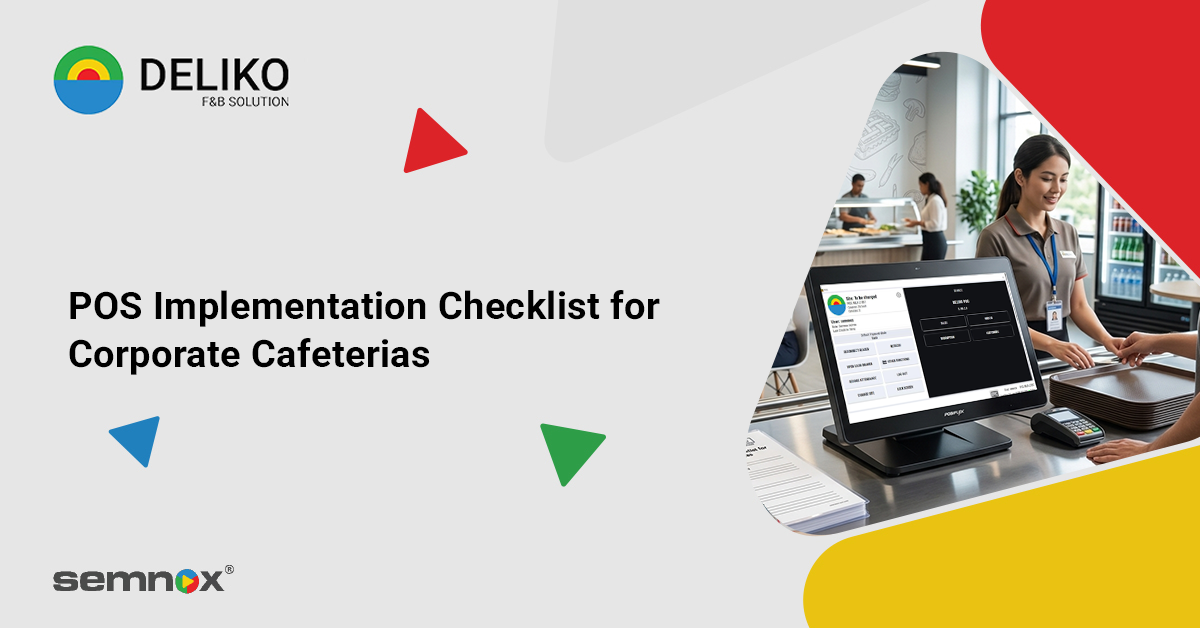
POS Implementation Checklist for Corporate Cafeterias
Introduction
Corporate cafeterias are becoming smarter, faster, and more technology-driven than ever before. As organizations focus on improving employee experience and operational efficiency, traditional cafeteria operations are being replaced by advanced digital solutions.
In 2026, implementing a modern corporate cafeteria POS system is essential for organizations managing high employee footfall and multiple dining locations. Businesses are increasingly investing in cashless cafeteria solutions powered by advanced cafeteria management software and integrated workplace technologies.
From reducing queues to enabling real-time reporting and seamless employee payments, modern POS systems are transforming workplace dining experiences.
A well-planned RFID cafeteria system does more than process payments—it helps organizations create efficient, secure, and scalable cafeteria operations.
What is a Corporate Cafeteria POS System?
A corporate cafeteria POS system is a digital platform designed to manage billing, food ordering, employee payments, inventory tracking, and cafeteria operations within workplace environments.
Modern systems combine:
- Cafeteria management software
- RFID cafeteria system integration
- Cashless payment technologies
- Real-time analytics
- Mobile ordering capabilities
These systems help businesses streamline cafeteria operations while improving employee convenience and operational visibility.
Why Businesses Are Adopting Smart Cafeteria POS Systems in 2026
The adoption of cashless cafeteria solutions is growing rapidly due to changing workplace expectations and operational demands.
1. Faster Employee Service
A smart corporate cafeteria POS system speeds up billing and minimizes long queues during peak lunch hours.
2. Fully Cashless Workplace Environment
Organizations are moving toward digital-first operations with integrated cashless cafeteria solutions.
3. Better Operational Visibility
Modern cafeteria management software provides centralized reporting, inventory insights, and transaction monitoring.
4. Improved Employee Experience
Employees expect seamless, app-enabled, and contactless dining experiences within modern workplaces.
5. Efficient Food & Inventory Management
An advanced RFID cafeteria system helps cafeterias reduce wastage and optimize food planning.
POS Implementation Checklist for Corporate Cafeterias
1. Cashless Payment Integration
A modern cashless cafeteria solution should support:
- RFID employee cards
- QR code payments
- UPI integration
- NFC tap-to-pay
- Mobile wallets
This improves transaction speed and employee convenience.
2. RFID Cafeteria System Integration
An efficient RFID cafeteria system enables employees to tap and pay instantly using their ID cards.
Benefits include:
- Faster authentication
- Reduced queues
- Secure employee transactions
- Real-time tracking
3. Real-Time Reporting & Analytics
Your cafeteria management software should provide:
- Sales reports
- Consumption trends
- Peak-hour analysis
- Food wastage tracking
- Inventory reports
These insights help businesses optimize cafeteria operations.
4. Inventory & Stock Management
Integrated inventory management is essential for:
- Monitoring ingredient usage
- Preventing stock shortages
- Reducing wastage
- Automating purchase planning
A strong corporate cafeteria POS system improves operational efficiency significantly.
5. Mobile Ordering & Pre-Booking
Modern employees prefer convenience-driven dining options.
The POS system should support:
- Mobile meal ordering
- Scheduled pickups
- Digital menus
- Prepaid meal plans
This helps reduce cafeteria congestion.
6. Multi-Location Management
Organizations with multiple offices require centralized control.
The ideal cafeteria management software should support:
- Multi-branch management
- Unified reporting
- Centralized menu control
- Cross-location analytics
7. Integration with HR & ERP Systems
A modern corporate cafeteria POS system should integrate with:
- HRMS software
- Payroll systems
- ERP platforms
- Attendance systems
This enables automated deductions and centralized employee management.
8. Cloud-Based Management
Cloud-enabled cashless cafeteria solutions provide:
- Remote access
- Real-time synchronization
- Easier scalability
- Automatic backups
Cloud infrastructure improves operational flexibility.
9. Security & Access Controls
A secure RFID cafeteria system should include:
- Encrypted transactions
- Role-based access
- Secure employee data storage
- Permission-based controls
Security is critical for modern workplace systems.
10. Employee Self-Service Kiosks
Self-service kiosks improve cafeteria efficiency by allowing employees to:
- Place orders independently
- Make contactless payments
- View menus instantly
- Reduce billing counter dependency
Advanced Features Trending in 2026
AI-Based Demand Forecasting
Modern cafeteria management software uses AI to predict food demand and reduce wastage.
Smart Meal Recommendations
Some systems recommend meals based on employee preferences and order history.
Biometric Authentication
Biometric verification is becoming a popular enhancement for secure employee identification.
Sustainability & Waste Tracking
Advanced cashless cafeteria solutions help businesses monitor:
- Food wastage
- Sustainable sourcing
- Packaging usage
This supports workplace sustainability goals.
Benefits of a Modern Cafeteria POS System
For Employees
- Faster transactions
- Contactless dining experience
- Convenient meal ordering
- Reduced waiting time
For Cafeteria Operators
- Accurate billing
- Better inventory management
- Reduced manual errors
- Improved operational control
For Organizations
- Centralized cafeteria management
- Improved employee satisfaction
- Better financial transparency
- Actionable operational insights
How to Choose the Right Cafeteria Management Software
When selecting a corporate cafeteria POS system, organizations should evaluate:
- RFID cafeteria system compatibility
- Ease of implementation
- Scalability across locations
- Reporting capabilities
- Mobile ordering features
- Cloud support
- Vendor reliability
Choosing the right cafeteria management software ensures smoother implementation and long-term operational success.
Common POS Implementation Mistakes to Avoid
Organizations often face challenges due to poor planning.
Common mistakes include:
- Choosing systems without RFID support
- Ignoring integration capabilities
- Lack of employee training
- Poor scalability planning
- Overlooking reporting features
- Delaying cashless adoption
Avoiding these issues ensures better ROI and smoother cafeteria operations.
Conclusion
A modern corporate cafeteria POS system is becoming an essential part of workplace infrastructure in 2026.
By combining cafeteria management software, cashless cafeteria solutions, and an advanced RFID cafeteria system, businesses can create faster, smarter, and more efficient dining environments.
As organizations continue investing in digital workplace experiences, implementing the right cafeteria POS solution will play a major role in improving operational efficiency and employee satisfaction.
FAQs
1. What is a corporate cafeteria POS system?
A corporate cafeteria POS system is a digital solution used to manage cafeteria billing, employee payments, inventory, and dining operations within workplaces.
2. What is an RFID cafeteria system?
An RFID cafeteria system allows employees to make contactless payments using RFID-enabled ID cards or smart cards.
3. Why are cashless cafeteria solutions important?
Cashless cafeteria solutions improve transaction speed, reduce manual errors, and enhance employee dining convenience.
4. What does cafeteria management software do?
Cafeteria management software helps businesses manage billing, inventory, reporting, food planning, and operational analytics.
5. Can cafeteria POS systems integrate with HR or ERP software?
Yes, modern corporate cafeteria POS systems can integrate with HRMS, payroll, ERP, and attendance platforms for seamless workplace management.

As a highly experienced thought leader in the hospitality industry, Suresh Kumar carries a unique combination of global experience and multi-industry specialty. With 15 years of experience as the marketing head and director of Lucid IT Solutions and seven years of directing sales at Pazo, Suresh has especially honed skills with F&B and restaurant POS — skills that make him an irreplaceable asset at Semnox. Now, he spearheads the realm of cafeteria management solutions through seamless business operations and collaborative development.